


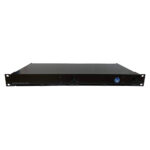
Description
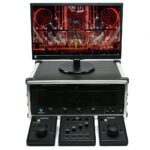
Using a single Follow-Me 3D system, track multiple performers with multiple fixtures each. Merge and integrate with a lighting console of your choice, or send out Posi Stage Net (PSN) and Open Sound Control (OSC) data to audio, video systems and media servers.
Features
- Continuous Beam Size: Have the Zoom or Iris parameter calculated automatically to keep a consistent lighting beam size on the performer
- Fixture prediction: Easily add additional fixture prediction to fixtures that are a little slower to react.
- Control channels: Control Follow-Me 3D features through your lighting desk using Control Channels, including: Enable, Target assignment, Beam size, Prediction and more…
- Zoning: Have your fixtures react dynamically in its Intensity, Focus, Zoom or Iris based on the position of the performer on your stage.
- 4-point calibration procedure: Simply measure out 4 points on your stage, and then perform the fast and simple calibration procedure.
- Fade @ flip: Have the fixture fade out automatically whenever it hits its pan limit. Customise fade and black times.
- Assignments & Presets: Program fixture assignments to targets using Assignments. Set predefined locations of your targets in advance using Presets.
- Object masking: Mask any object such as video walls, trusses or a proscenium using object masking. Prevent any beam from hitting these objects and control this dynamically.
- Intensity from desk: Have the lighting desk be in full control of the maximum intensity to your fixtures. Blackouts are in control of the lighting desk.
Video
Follow-Me 3D – Masking Feature
This video goes into detail on brand new functionality in Follow-Me 3D: Masking. Contact us if you have any questions.
Any Lighting Fixture
In Follow-Me, you can utilise any fixture as a follow-spot. As long as your fixture is able to pan & tilt, Follow-Me can control it. Use features such as Continuous Beam Size & Fixture Prediction to keep your artist in the spotlight. Easily assign fixtures to performers through Follow-Me or the lighting console.
Full 3D Tracking
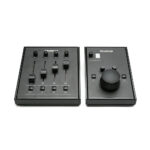
Follow-Me 3D seamlessly caters to the unique needs of various performances, venues, and production setups. Track an artist in full 3D, generating 3D coordinates for all of your performers on stage. Adjust the Z-height of your performer using a fader on the Follow-Me fader console.
Multiple Performers
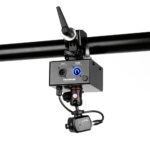
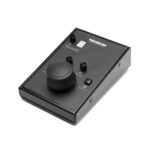
From small-scale to grand productions, Follow-Me scales with you. Start with manual tracking and increase the number of mouse consoles to track more performers. The system is upgradeable with Follow-Me Track-iT to automate your tracking and track even more performers.
Any Stage Layout
Follow-Me 3D utilises a mesh on which the performers are tracked. This can be used to easily map any stage or performance area, including its height differences. Even the most complicated stages can be mapped in easily by inserting a 3D model. Follow-Me is also able to map objects and even prevent fixture beams from hitting those objects.
Merge & Integrate
Follow-Me 3D can merge and integrate with all lighting consoles over Art-Net & sACN. The SIX license goes even further, providing Posi Stage Net (PSN) and Open Sound Protocol (OSC) data output to synchronise position data with audio, video systems, and media servers. It also accepts PSN data, enabling integration with automation systems for dynamic fixture position adjustments.